

Project Tool
Tempo-matched reverb & delay calculators, BPM conversion, an interactive frequency table with MIDI, and a session notepad — one lightweight tool that sits on any insert without touching your audio.
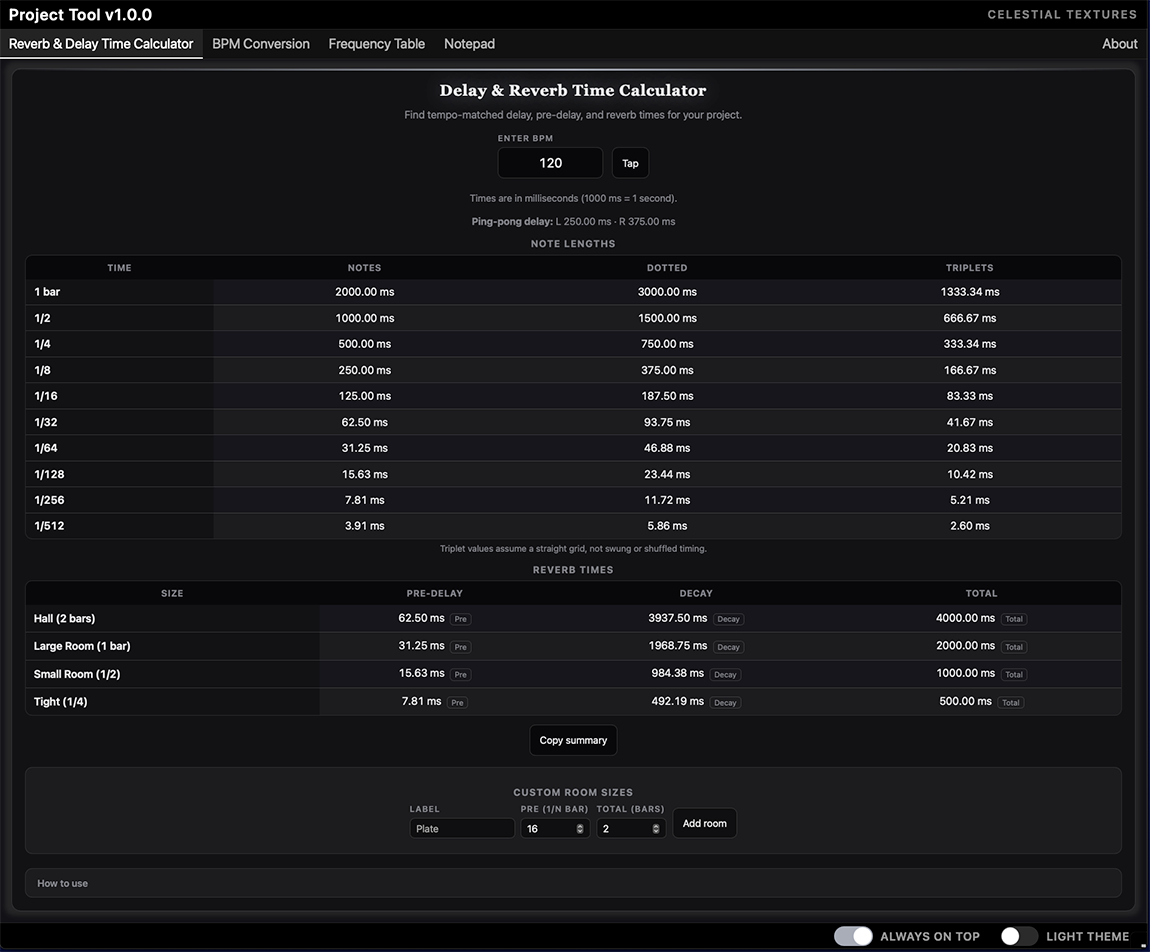
Everything between takes
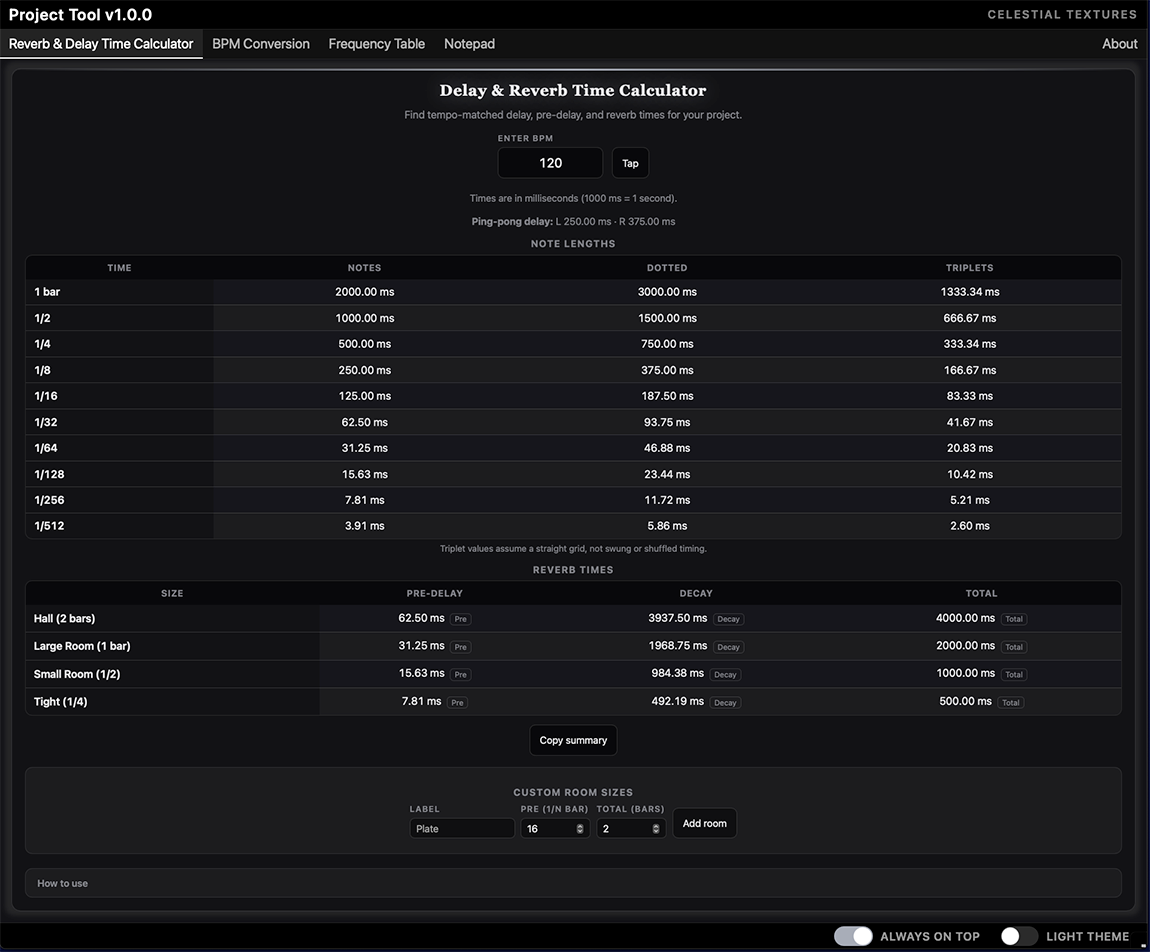
Tempo-matched times, one click away
Note-length delays from 1/1 to 1/512, room pre-delay and decay suggestions, and a ping-pong helper — all recalculated live from your BPM or tap tempo.
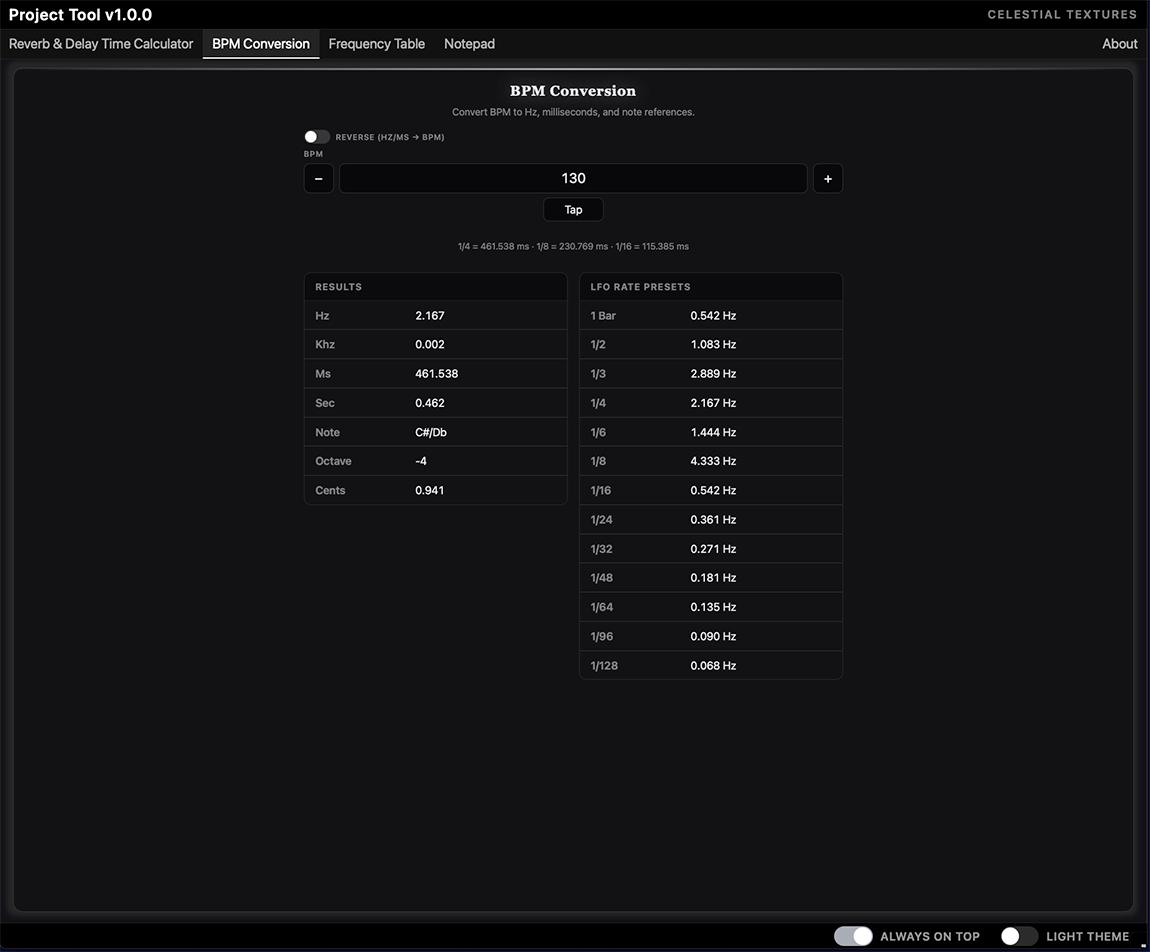
BPM to anything, and back
Convert tempo to Hz, milliseconds, note values, octave and cents — or work in reverse and solve for BPM from a target time or frequency.
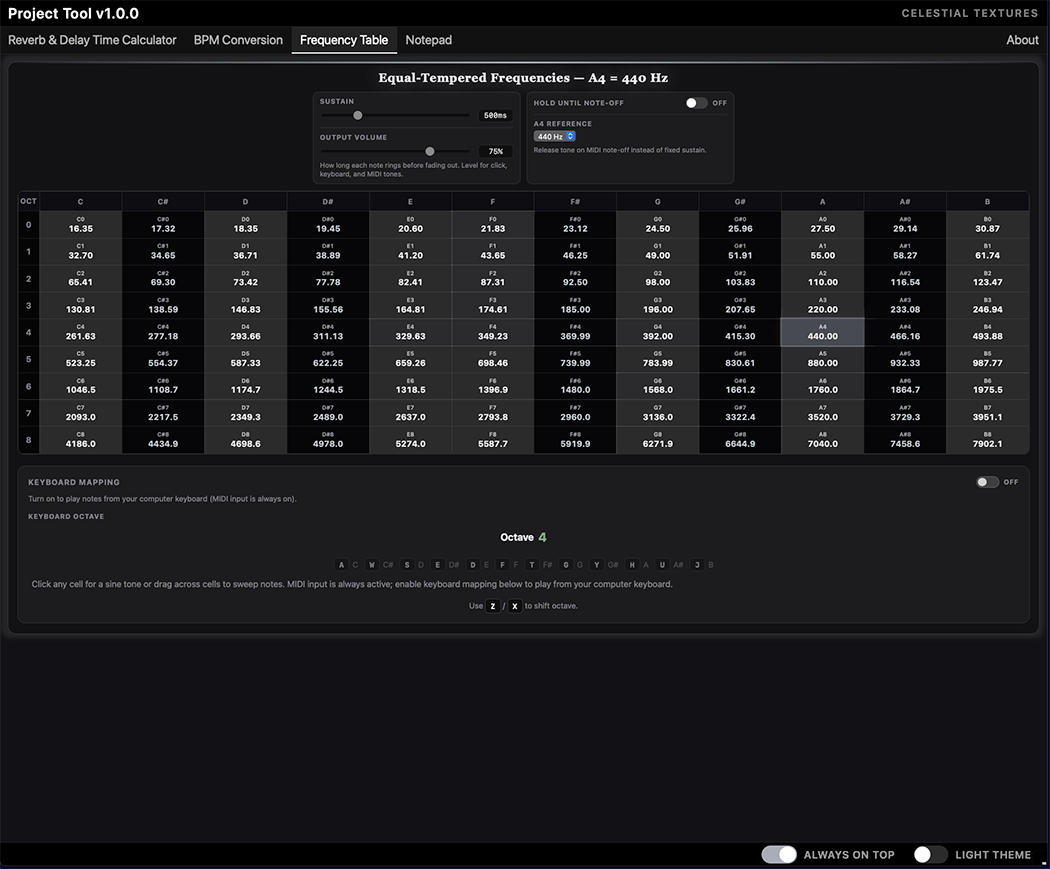
Every pitch, audible on demand
A full equal-tempered frequency table with octaves and note names. Click or drag to audition sine tones, or play it from your MIDI controller.
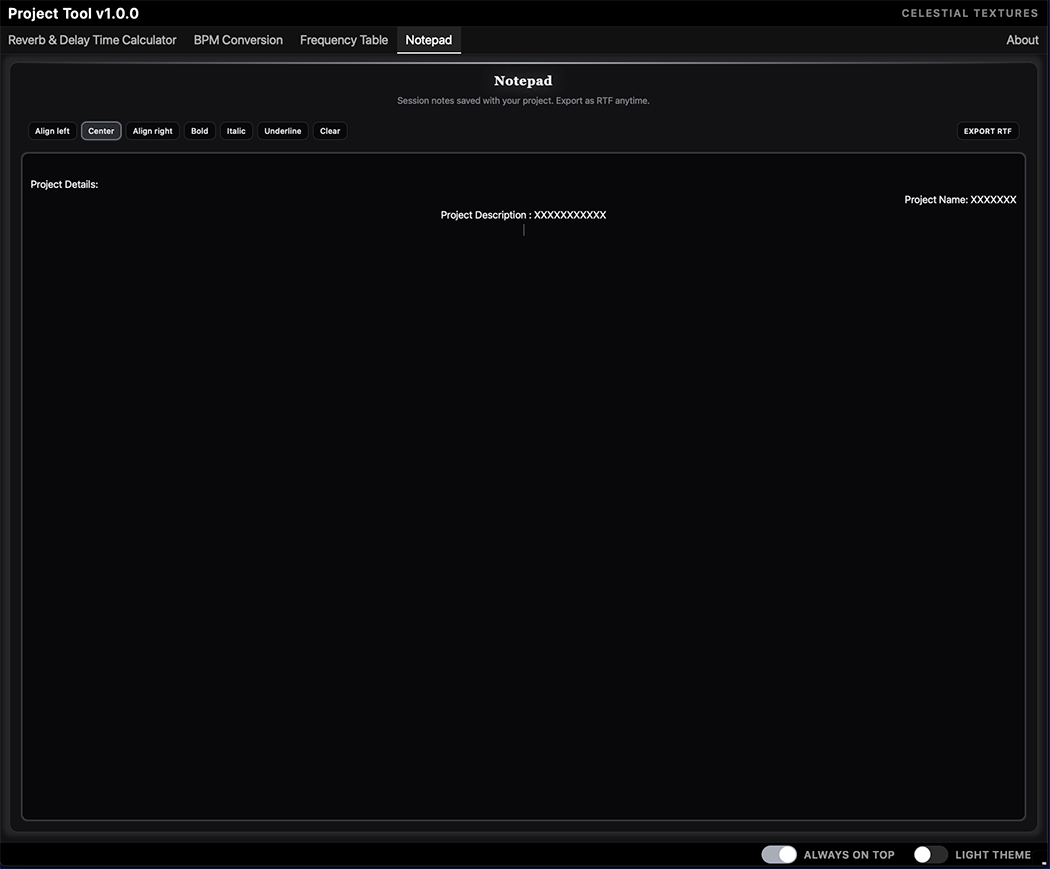
Session notes that stay with the song
A rich-text notepad saved inside your DAW project — per instance, per track. Reopen the session months later and your notes are exactly where you left them.
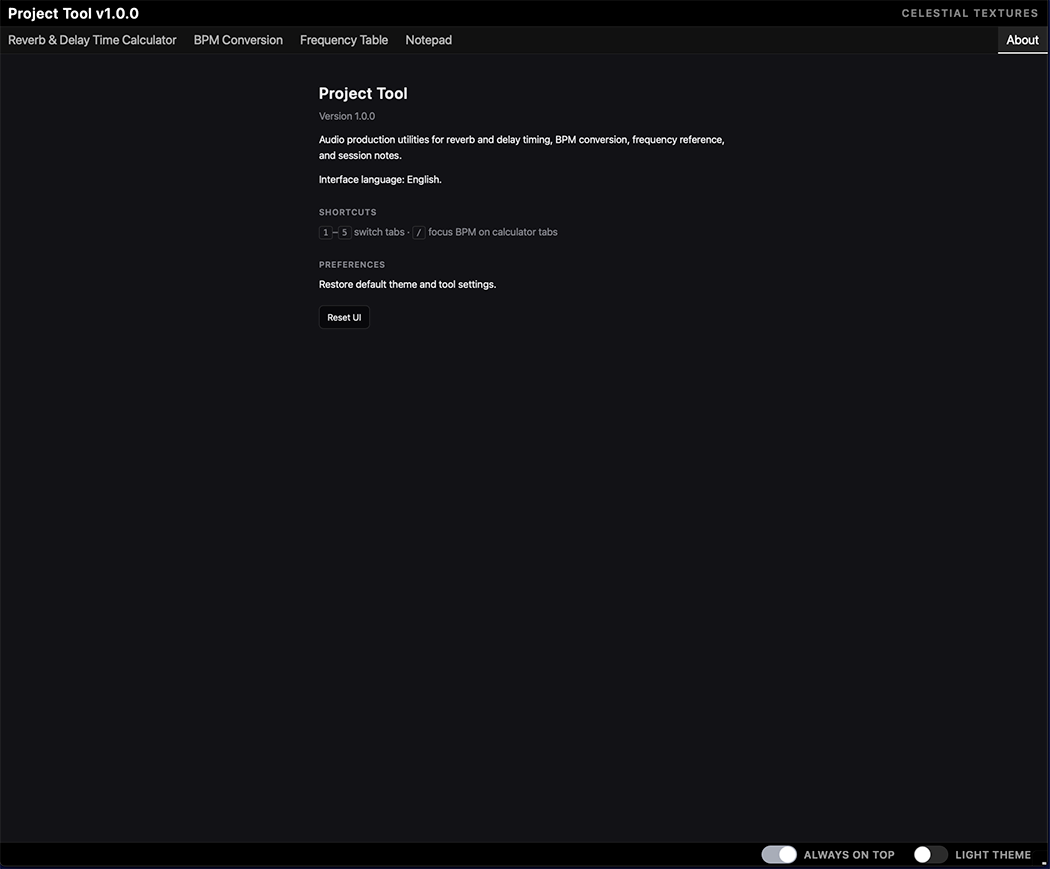
A shell that fits your workflow
Follow host tempo, light or dark theme, always-on-top in the standalone app, and a freely resizable window from 400 × 300 up to 8192 × 8192.
Formats & requirements
 VST3
VST3 CLAP
CLAP AU
AUCommon questions
The plug-in does not appear in my DAW.
Confirm the architecture (Apple Silicon / Intel, x64 on Windows) and install path, then rescan plug-ins. On macOS, allow the plug-in under System Settings → Privacy & Security if it was quarantined.
The UI is blank on Windows.
Install the Microsoft WebView2 Runtime (pre-installed on Windows 11) and reinstall the plug-in. The UI is embedded in the binary — no external files are loaded.
My notes were not restored when I reopened the project.
Save the DAW project after editing — some hosts only snapshot plug-in state on project save. Allow about half a second after typing for the notepad to sync.
Does Project Tool change my audio?
No. Plug-in formats are stereo pass-through: the signal leaves exactly as it entered. The standalone app only outputs the Frequency Table audition tones.
Is there a manual?
Yes — a full HTML manual is installed with the plug-in, and available from Help → Manual in the standalone app.
Keep it on every session
Free for macOS  and Windows







What's new
- Follow host tempo — Reverb & BPM calculators now pick up your DAW tempo more reliably on first open (no need to toggle the switch off and on).
- macOS / REAPER (AU) — Fixed a crash that could occur when using Project Tool as an Audio Unit in REAPER.
- Window resize (macOS) — Smoother, more responsive resizing when dragging the plugin window in your host.
- BPM converter — When Reverse mode is on (Hz/ms → BPM), the Tap button is now correctly hidden.
- Windows (HiDPI displays) — Improved plugin window sizing at 125%/150%/200% scaling — fixes the window growing on hide/show, showing the wrong footer options, or feeling sluggish while resizing.
- Notepad — Additional safeguards for RTF export and content handling.
Log in to claim this free product.
Log inMore from Celestial Textures
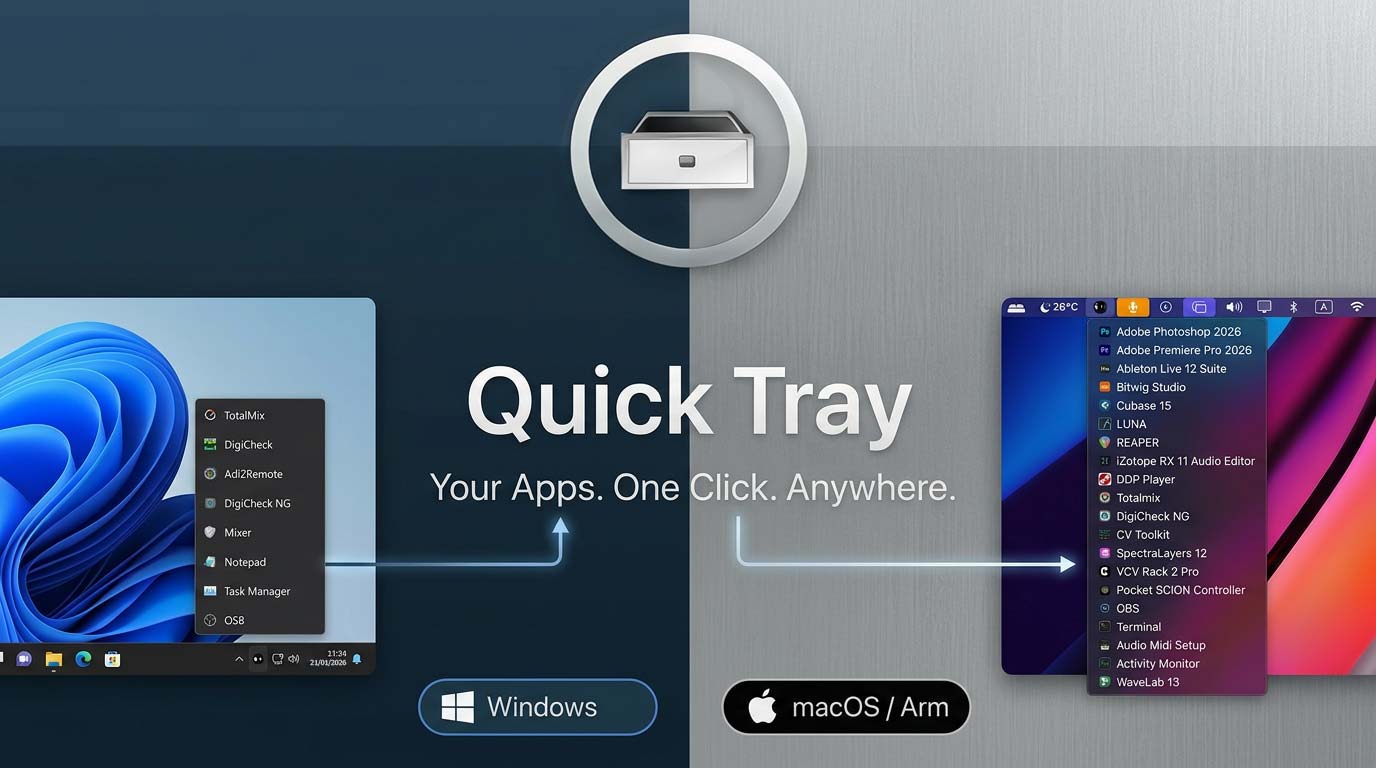 Quick Tray
 is a featherweight launcher that lives in your menu bar or system tray.
New
Quick Tray
Quick Tray is a featherweight launcher that lives in your menu bar or system tray.
New  Axis Utility
 is a stereo utility & metering plugin featuring independent gain trims, M/S mode, Imager, Phase, Time Shift/Tilt, and a brick-wall Limiter, paired with professional metering: LUFS (EBU R128), correlation/balance, a 6-mode goniometer, and a real-time spectrum analyzer with built-in calibration.
New
Axis Utility
Axis Utility is a stereo utility & metering plugin featuring independent gain trims, M/S mode, Imager, Phase, Time Shift/Tilt, and a brick-wall Limiter, paired with professional metering: LUFS (EBU R128), correlation/balance, a 6-mode goniometer, and a real-time spectrum analyzer with built-in calibration.
New 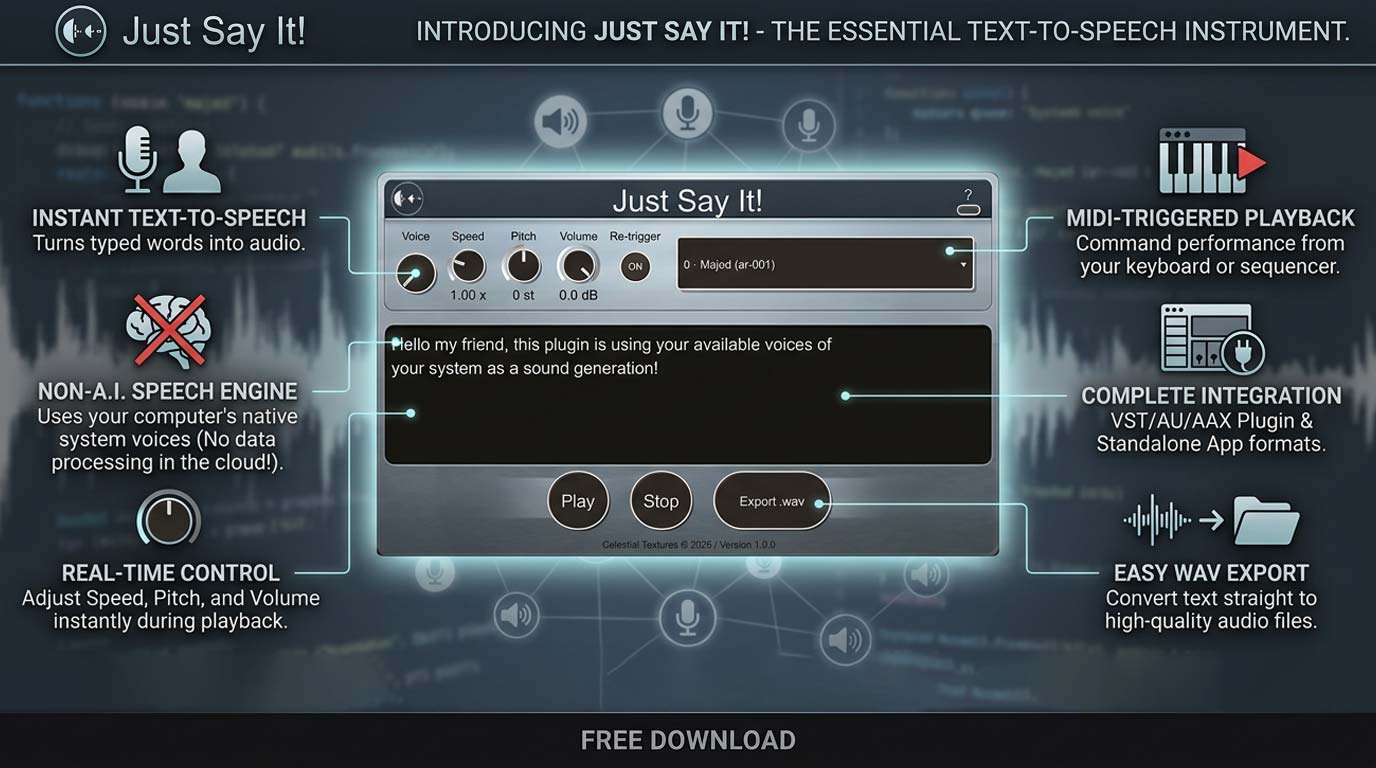 Just Say It!
Typed text becomes audio, right on your insert. System voices, real-time pitch and speed, MIDI triggering, WAV export — engineered for the studio, not the browser.
Just Say It!
Typed text becomes audio, right on your insert. System voices, real-time pitch and speed, MIDI triggering, WAV export — engineered for the studio, not the browser.